

Your AI receptionist is only as good as the information you give it. If it does not know your services, pricing, or how to handle common questions, it cannot help customers effectively.
Building a knowledge base for your AI receptionist means teaching it everything it needs to answer calls properly. For plumbing, HVAC, and roofing companies, this makes the difference between an AI that books jobs and one that confuses customers.
What is an AI receptionist's knowledge base?
A knowledge base is the collection of information your voice AI receptionist uses to answer questions and handle calls. Think of it as the training manual for your virtual receptionist.
It includes details like:
- Services you offer and what they cost.
- Your service areas and hours.
- Common customer questions and the right answers.
- How to handle emergencies versus routine calls.
- Booking procedures and scheduling rules.
According to Document360 research, 91% of customers would use a knowledge base if it met their needs. For home services, that means your AI needs accurate, complete information to help people effectively.
Why does a good knowledge base matter for voice AI?
Voice AI for contractors only works well when it has the right information to draw from. Without a solid knowledge base, your AI will give wrong answers, confuse customers, or send calls to your team unnecessarily.
A well-built knowledge base helps your voice AI agent:
- Answer pricing questions accurately.
- Book appointments without mistakes.
- Route emergency calls correctly.
- Explain services in simple terms.
- Handle seasonal questions (like winter furnace checks or summer AC tune-ups).
When customers call and get clear, accurate answers right away, they book jobs. When the AI seems confused or gives wrong information, customers hang up and call someone else.
What information should go in your knowledge base?
Start with the basics. Your AI needs to know who you are and what you do before it can help anyone.
Business fundamentals
- Company name and main phone number.
- Service areas (cities, zip codes, or distance radius).
- Operating hours and after-hours policies.
- Types of services offered.
Service details
- Clear descriptions of each service you provide.
- Average pricing or price ranges.
- How long do different jobs typically take?
- What customers should prepare before you arrive.
Common questions and answers
Write out the questions customers ask most often and the answers your team normally gives. These might include:
- Do you offer same-day service?
- What payment methods do you accept?
- Are you licensed and insured?
- Do you charge for estimates?
- What areas do you cover?
Emergency protocols
Define what counts as an emergency for your business. A burst pipe is urgent. A slow drain usually is not. Your AI needs to know the difference so it routes calls properly.
How do you organize information for an AI receptionist?
Keep it simple and clear. An AI receptionist works best with straightforward information, not complicated explanations.
Use plain language as you would when talking to a customer on the phone. Avoid technical jargon unless you also explain what it means in normal terms.
Break information into categories. Group similar topics together. All pricing information in one section. All service descriptions are in another. Emergency procedures are in their own section.
Research shows that improving information access can boost team productivity by 35%. For home service companies, that means your AI handles more calls without needing help from your staff.
What are the steps to build the knowledge base?
Building a knowledge base does not have to take weeks. Follow these steps to get it done quickly.
Step 1: List your services
Write down every service you offer. Be specific. "HVAC repair" is too vague. "Emergency furnace repair," "AC tune-up," and "duct cleaning" are better.
For each service, note the typical price range and how long it takes.
Step 2: Document common questions
Ask your team what customers ask most often. Write these questions down exactly as customers ask them, then write clear, short answers.
Keep answers under 100 words when possible. Long explanations confuse people more than they help.
Step 3: Define your service area
Be clear about where you work. List cities, zip codes, or describe your radius from your main location.
If you charge extra for certain areas or do not cover some locations at all, include that information.
Step 4: Set booking rules
How far in advance can people book? What is your cancellation policy? How much time do you need between jobs?
Your automated appointment scheduling for contractors needs these rules to work correctly. Without them, you might end up with impossible schedules or double bookings.
Step 5: Create emergency guidelines
List what qualifies as an emergency. Give examples. "No heat in winter" is an emergency. "Thermostat needs new batteries" is not.
Explain how emergency calls should be handled differently from regular service requests.
Step 6: Add seasonal information
Home services have busy and slow seasons. In winter, HVAC companies get furnace calls. In summer, AC calls spike.
Update your knowledge base to reflect seasonal services and common seasonal problems.
How do you train your AI receptionist with this information?
Once you have the information gathered, you need to get it into your voice AI system. Most platforms make this pretty simple.
Some systems let you upload documents. Write everything in a simple text file or document and upload it. The AI reads and learns from it.
Other platforms use a question-and-answer format. You type questions customers might ask and the answers the AI should give.
Better systems learn from actual calls. As the best HVAC answering service platforms handle more calls, they get better at understanding what customers need and how to help them.
Most businesses see improvement after the first week. The AI learns which questions come up most and gets faster at answering them.
How often should you update the knowledge base?
Your business changes. Prices go up. You add new services. You stop offering old ones. Your knowledge base needs to keep up.
Update it whenever something important changes:
- New services added or old ones dropped.
- Price changes.
- Service area expansions.
- Policy updates (payment methods, cancellation rules, etc.).
- Seasonal service offerings.
Plan to review your whole knowledge base at least once every three months. Check if the information is still accurate. Remove outdated stuff. Add anything new.
What mistakes should you avoid when building it?
Too much information at once
Do not try to teach your AI everything on day one. Start with the basics. Add more as you go.
Confusing or technical language
Write as you talk. If customers do not understand a word, do not use it.
No examples
Abstract explanations confuse AI and customers. Use real examples. "We cover all of Dallas County" is clearer than "We serve the metropolitan area."
Forgetting to test
After adding information, test it. Call your AI and ask questions. See if the answers make sense.
Not getting team input
Your technicians and office staff talk to customers every day. They know what questions come up and what answers work best. Ask them before writing your knowledge base.
How does call automation work with your knowledge base?
Call automation uses your knowledge base to handle calls without human help. When someone calls asking about AC repair, the AI checks the knowledge base, finds the relevant information, and responds.
For routine questions, this happens instantly. The customer gets an answer in seconds instead of waiting on hold or for a callback.
For booking requests, the AI uses your scheduling rules from the knowledge base to find available times and confirm appointments.
When setting up your AI phone receptionist, the knowledge base is what makes everything else work. Without it, you just have expensive software that cannot help anyone.
Can you see what questions your AI struggles with?
Yes, and you should check this regularly. Most AI systems show you which questions came up that the AI could not answer well.
These gaps tell you what to add to your knowledge base. If customers keep asking about financing options and your AI does not have that information, add it.
AI call analytics show patterns in customer questions. You see which topics come up most and which ones confuse the AI. Use this data to improve your knowledge base over time.
Does your knowledge base affect booking rates?
Absolutely. When your AI gives accurate, helpful answers, more calls turn into bookings.
If the AI gives wrong pricing, customers might hang up, thinking you are too expensive when you are competitive. If it does not know your service area, you miss jobs you could have taken.
Clear, complete information helps customers feel confident booking with you. Incomplete or confusing information sends them to competitors.
For companies using a virtual receptionist for ServiceTitan or similar platforms, connecting the AI with your knowledge base and CRM creates a smooth experience that books more jobs.
Start building your AI receptionist knowledge base today
A strong knowledge base turns your AI receptionist from a basic answering service into a tool that books jobs and helps customers.
Start simple. Document your basic services, common questions, and booking rules. Get that information into your AI system. Test it with real calls. Then add more details as you learn what customers need.
The better your knowledge base, the more calls your AI can handle without help. That means your team focuses on doing actual work instead of answering the same questions over and over.
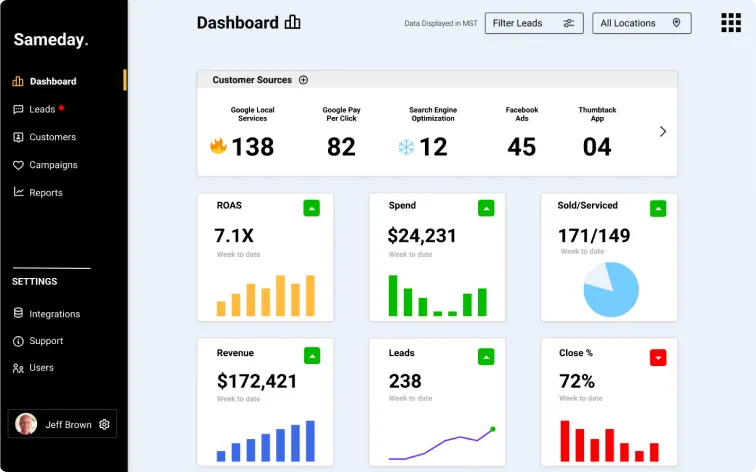
For home service companies that want to stop missing calls and start booking more jobs, a solid knowledge base is the first step. Voice-AI receptionist, Sameday makes it easy to build, update, and scale as your business grows.
If you want to see how it works in practice, you can book a demo and explore how Sameday helps turn every call into a booking opportunity.


.svg)
.svg)