

Most home service businesses are losing jobs they never even know about. A customer calls while your tech is on-site, no one picks up, and they move on to the next company in the search results. That call cost you money in marketing before it even came in.
A voice AI answering service with CRM integration fixes both sides of that problem. It answers the phone every time and automatically logs everything in your system. No manual entry, no missed follow-up, no lost job.
This article explains how that setup works and how to get it running in your business.
Why a standalone answering service is not enough
A basic answering service picks up the phone. That is useful. But if that call data does not flow directly into your CRM or field service software, you have just moved the problem.
Someone still has to read the message, open the system, create the job, and book it. That takes time. More importantly, it creates gaps. Calls come in after hours or during peak season and the follow-up never happens.
An AI answering service for home services that connects directly to your CRM removes those gaps completely. The AI qualifies the caller, collects job details, checks availability, and books the appointment. Your software gets updated in real time.
What does CRM integration mean?
Integration means the AI does not just take a message. It writes directly to your field service platform.
When a customer calls, the AI:
- Identifies whether they are a new or existing customer
- Collects the job type, address, and preferred time
- Checks technician availability in your dispatch board
- Books the job and creates the service ticket
- Sends the customer a confirmation by text or email
All of that happens during the call. By the time you look at your schedule, the job is already there.
Which platforms does it connect to?
Most modern AI phone answering systems are built to connect with the major field service platforms. That includes ServiceTitan, Jobber, Housecall Pro, FieldRoutes, and Service Fusion.
If your platform has an open API, the connection is possible. Some systems also support Zapier, which lets you connect to almost anything without custom development.
The key thing to ask any Voice AI provider: does your integration write data back to my CRM in real time, or does it send me a report to enter later? The answer tells you a lot about how useful the tool will actually be in your day to day business.
How does the AI handle existing customers vs. new callers?
This is where CRM integration really pays off.
When an existing customer calls, the AI pulls their record. It knows their address, their service history, and whether they have an active membership. It can skip the basic questions and move straight to scheduling.
For new callers, the AI collects everything from scratch and creates the record. When the call ends, a new contact is sitting in your CRM with the job details attached.
How AI answering services increase contractor booking rates by 30 to 40 percent often comes down to this exact difference. Customers who get booked fast stay booked. Customers who hit voicemail call someone else.
What about after-hours calls?
This is one of the highest-value use cases for a home services answering service with CRM integration.
According to Invoca's research, home service businesses miss around 27 percent of all inbound calls. That number climbs during peak season and after hours, when no one is staffed to pick up. Most of those customers move on without leaving a message.
An AI that runs 24/7 captures those calls and books them directly into your system overnight. You show up in the morning with jobs already on the board.
How to set up a voice AI answering service with CRM integration
Here is a practical sequence that works for most home service businesses.
Step 1: Map your booking workflow
Before you connect anything, write down how a call normally gets booked. What questions does your team ask? What details do they need before they can schedule? What is your typical call-to-book flow?
The AI will follow this same logic. The clearer it is, the better the AI performs.
Step 2: Choose an AI platform with native CRM support
Native integration is faster and more reliable than a workaround. If you use ServiceTitan, find a provider that has a certified ServiceTitan integration. Same for Jobber, Housecall Pro, and others.
Step 3: Connect your phone number
You can either forward your existing number to the AI, or provision a new number that routes through the system. Most operators forward their main line so the experience is seamless for customers.
Step 4: Set your availability rules
Tell the system when your techs are available, what service areas you cover, and what job types you take. The AI uses this to check availability in real time and only books slots that actually work.
Step 5: Test with real call scenarios
Run through the calls your team gets most often. A first-time HVAC customer. An existing member with a billing question. Someone calling after hours for an emergency. See how the AI handles each one and adjust before you go live.
Step 6: Monitor booking rate and call data
Once you go live, track your booking rate weekly. A well-configured AI phone answering system should be booking over 85 percent of qualified calls. If you are below that, the issue is usually in the availability settings or the qualification flow.
Can the AI handle more than just booking?
Yes. Once the CRM connection is live, the AI can handle a wider range of contact center tasks.
That includes:
- Rescheduling appointments
- Sending reminders before a job
- Making outbound calls to confirm or follow up
- Running happy calls after a job is complete
- Asking for reviews after a positive customer interaction
Virtual call center basics for home service companies covers how to build these workflows out step by step. The short version: start with inbound booking, prove the ROI, then layer in outbound tasks.
Is this different for specific trades?
The core setup is the same across trades. The configuration is what changes.
A pest control company needs the AI to ask about pest type, whether it is a residential or commercial property, and whether the customer is on a recurring plan. A roofing company needs it to ask about storm damage versus a standard inspection.
The best pest control answering service breaks down how that trade-specific configuration works in practice. The same logic applies to HVAC, plumbing, and other trades. You train the AI on the questions your best CSR would ask.
How does a virtual receptionist work for niche service businesses?
It scales down just as well as it scales up. Even a small outdoor lighting or specialty services company can benefit from using a virtual receptionist that connects to their booking system.
The economics are clear: if one missed call is worth $300 to $800 in average job value, and you miss five calls a week, that is $1,500 to $4,000 in revenue walking out the door every week. The cost of an AI answering service is a fraction of that.
What should you look for in a provider?
Not all AI answering services are built the same. Before you commit, ask:
- Does it integrate natively with my CRM, or through a third-party connector?
- Does it write job data back in real time?
- Can it handle inbound, outbound, and SMS?
- What is the average booking rate across your customer base?
- What does setup and ongoing support look like?
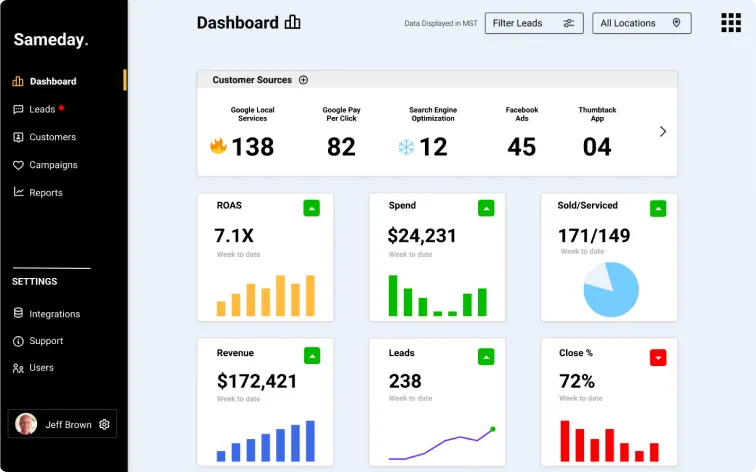
A provider that cannot give you clear booking rate data from existing customers is one worth walking away from. According to our own data published by Sameday, top-performing AI agents book over 92 percent of qualified calls. That is a benchmark worth holding providers to.
Save money with a voice AI answering service with CRM integration
Missed calls cost real money. Manual data entry creates mistakes and delays. A voice AI answering service with CRM integration solves both.
The technology is not new anymore. What matters now is whether it is configured correctly for your trade, connected to your actual software, and running 24 hours a day.
If you are still routing after-hours calls to voicemail, you are leaving jobs on the table every week.
Book a free demo with Sameday and see how the AI handles your calls, connects to your CRM, and starts booking jobs from day one. We'll be happy to consult you - no strings attached.


.svg)
.svg)