

Running a home service business means your phone never stops ringing. Customers call about broken furnaces, leaking pipes, and urgent repairs, and every missed call could be a lost job.
The challenge is obvious. You cannot answer every call and do the work at the same time. Hiring a full office staff is expensive, especially for small and mid-sized contractors. So you’re stuck choosing between missing calls or stretching yourself thin.
That’s where a virtual call center starts to make sense. Instead of relying on a physical office with desks and phone lines, calls are handled through cloud-based systems. Customers still reach your business, even when you’re on a job site or off the clock.
What is a virtual call center for home services?
A virtual call center handles phone calls without a physical office location. Everything operates through cloud-based software. Calls come in, get answered, and are routed to the right person or system automatically.
For plumbing, HVAC, and roofing contractors, this means having professional call coverage without renting office space or managing in-house staff.
According to research, the virtual call center market is growing at 18% annually and is expected to reach a significant size by 2030. Home service companies are part of this growth as they adopt remote work solutions.
Why do home service companies need virtual call centers?
Traditional call center setups do not make sense for most contractors. You do not need 20 people sitting in cubicles. You need calls answered quickly and jobs booked efficiently.
Here is what makes virtual setups better for home services:
- No office space to rent or maintain.
- They work from anywhere with internet.
- Scale up or down based on call volume.
- Lower overhead than hiring full-time staff.
- 24/7 coverage without night shift costs.
Most contractors operate lean. A virtual setup keeps costs down while improving how you handle customers.
What are the main components you need?
Setting up a home services answering service requires a few key pieces working together.
Cloud-based phone system
Your phone number routes through cloud software instead of physical phone lines. Calls can go to AI, to staff working remotely, or to you directly.
Call management software
This handles call routing, voicemail, and call logs. Good systems show you who called, when, and what they needed.
Booking and scheduling tools
Customers calling to book appointments need access to your real schedule. The system checks availability and confirms bookings automatically.
CRM integration
Every call should update customer records. Names, addresses, service history, and notes all sync automatically.
According to research, companies can save more than $11,000 per employee annually when employees work remotely half the time. For home service businesses, those savings add up fast.
How does AI fit into virtual call centers?
AI handles the routine calls that take up most of your day. Booking requests, service questions, and basic information get managed automatically.
An AI phone answering service for home services answers every call instantly. No hold times. No voicemail. The AI asks what the customer needs, checks your schedule, and books the appointment right there on the call.
For complex situations or upset customers, the AI transfers to a real person smoothly. You get the efficiency of automation with human backup when needed.
Designing intelligent call interactions makes sure your AI handles calls the way you want them handled.
What are the steps to set up a virtual call center?
Setting up takes less time than you might think. Most contractors get operational in a week or two.
Step 1: Choose your platform
Pick software that handles your specific needs. Look for platforms built for home services, not generic business tools. You need features like emergency call routing and service-specific terminology.
Step 2: Port or forward your number
Your existing business number can work with the new system. Either port the number completely or forward calls from your current line to the virtual system.
Step 3: Set up call flows
Define how different types of calls get handled. Booking requests go one way. Emergency calls go another way. Questions about pricing get answered by AI or routed to staff.
Step 4: Connect your calendar
Link your scheduling software so the system knows when you are available. This prevents double-bookings and makes automated scheduling work correctly.
Step 5: Build your knowledge base
Building an AI receptionist knowledge base teaches the system about your services, pricing, and policies. The better the information, the better it handles calls.
Step 6: Test everything
Make test calls before going live with real customers. Try different scenarios. Check that bookings land in the right place and that transfers work smoothly.
Step 7: Train your team
Show your staff how the system works. They need to know how to check messages, see booked appointments, and handle escalated calls.
How much does it cost to run a virtual call center?
Costs vary based on what features you need and how many calls you handle monthly.
Basic setups with simple call routing run $100 to $300 per month. These work for very small operations with low call volume.
Mid-range systems with AI answering and automated booking typically cost $500 to $1,500 monthly. Most contractors land in this range.
High-end platforms with extensive customization and integrations can reach $2,000 or more monthly. These make sense for larger companies with multiple locations.
Compare these costs to hiring even one full-time receptionist at $35,000 to $45,000 annually. The math clearly favors virtual solutions.
Can voice AI really handle home service calls?
Modern voice AI for home services has gotten very good. Most customers cannot tell they are talking to AI initially.
The AI understands home services terminology. It knows the difference between routine maintenance and emergencies. It asks the right questions to gather job details.
When customers call about a broken water heater, the AI determines if it is actively leaking (emergency) or just not heating properly (urgent but not critical). It routes the call accordingly.
Voice customization for AI phone systems lets you choose how the AI sounds, so it matches your brand personality.
What about handling after-hours calls?
After-hours coverage is where virtual call centers really shine. You do not need to pay someone to sit by the phone all night.
The automated phone system for home services answers calls at 3 AM the same way it answers them at 3 PM. Customers get help immediately.
Emergency calls get sent to your on-call technician right away with all the details. Routine calls get scheduled for the next business day. Nobody sits on hold or gets voicemail.
This captures revenue you would otherwise lose. Emergency jobs pay premium rates. Missing those calls means losing high-value work to competitors who did answer.
How do you track performance?
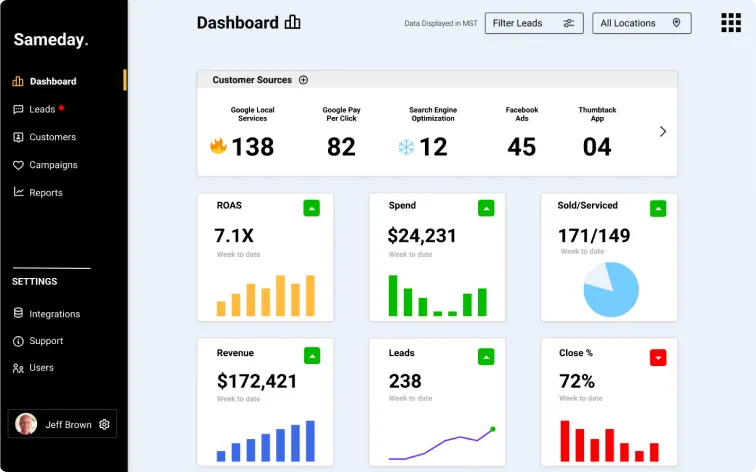
Good virtual call center platforms include analytics showing exactly what happens with your calls.
Track these metrics weekly:
- Total calls received.
- Percentage of calls answered.
- How many calls turned into bookings?
- Average response time.
- Call sources (which marketing channels bring calls).
- Revenue from booked jobs.
AI call analytics show patterns you might miss otherwise. Maybe Tuesday afternoons always get busy. Maybe certain services convert better than others. Use this data to improve operations.
Does customer journey mapping matter?
Understanding how customers experience calling your business helps you improve the setup.
Customer journey mapping shows where customers get stuck or confused. Maybe your greeting takes too long. Maybe the AI asks too many questions before booking.
Track the path from the first call to the completed job. Where do customers drop off? Fix those points, and booking rates improve.
What mistakes should you avoid?
1. Choosing the wrong platform
Generic call center software built for sales teams or tech support does not work well for home services. Pick platforms designed for contractors.
2. Skipping proper setup
Rushing through setup creates problems later. Take time to configure call flows correctly and test thoroughly before going live.
3. Not training your team
Your staff needs to understand how the system works. If they cannot check messages or see bookings, the whole thing falls apart.
4. Ignoring analytics
Data sitting unread does not help anyone. Check your metrics regularly and make changes based on what you see.
5. Forgetting to update information
When your prices change or you add new services, update the system immediately. Outdated information frustrates customers.
Can small contractors benefit from virtual call centers?
Absolutely. Small operations actually benefit most because they have the least capacity to handle calls manually.
If you are a solo plumber or small HVAC company, you cannot answer the phone while working on a job. Virtual call centers ensure no calls go to voicemail.
The cost savings matter more for small businesses, too. Hiring even one person to answer phones can strain tight budgets. Virtual systems cost a fraction of that.
Getting your virtual call center running
Setting up a virtual call center for your home service business takes some work upfront, but pays off quickly. You stop missing calls. Customers get help immediately. Jobs get booked automatically.
The technology exists now and keeps getting better. Contractors still operating with voicemail and callbacks are losing work to competitors who answer instantly.
Pick a platform built for home services. Set it up properly. Train your team. Then let it handle the calls while you focus on the actual work.
Ready to stop missing calls and start capturing every opportunity?
Book a demo with Sameday to see how easy it is to set up a virtual call center for your home service business.


.svg)
.svg)